Basic Usage
Hello World
The keyboard shortcut CTRL+ALT+T opens the shell on most operating systems.
The command echo prints its arguments.
Run it to make sure that the shell is working.
echo "Hello World!"
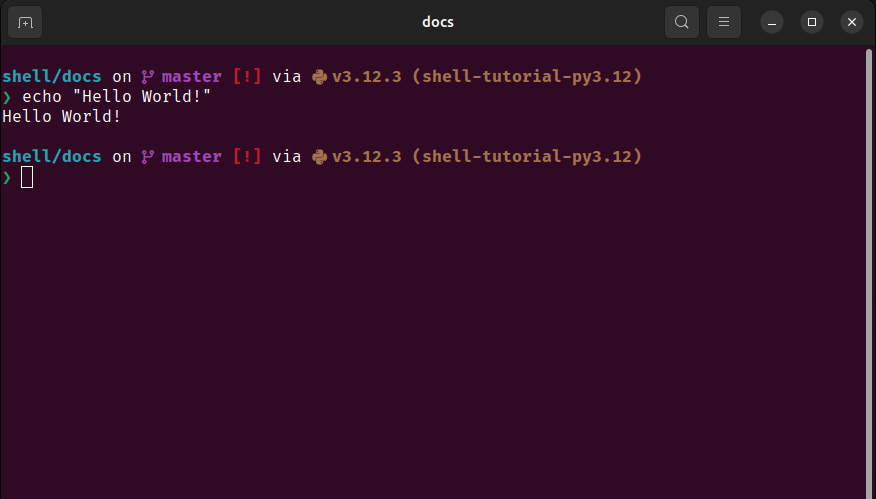
The shell on Ubuntu with Starship Prompt.
The basic structure of a shell instruction is a command that is possibly followed by options and arguments. Options are preceded by a hyphen or two hyphens.
The up arrow is used to recall the last command. This is very useful for correcting mistakes.
The command clear clears the terminal screen.
The command reset resets the shell.
And, the command exit exits the shell.
Files System
A file is a unit of stored data.
Examples are text files, images, videos and executables.
A directory is a file that contains other files.
Directories are also called folders.
Directories are organized hierarchically.
The top directory is the root.
Directories are contained in the root, more directories may be contained in these directories and so on.
That is, from any directory, going up directories will eventually reach the root.
If the directory dir1 contains the directory dir2, then the directory dir1 is the parent of dir2, and dir2 is the child of dir1.
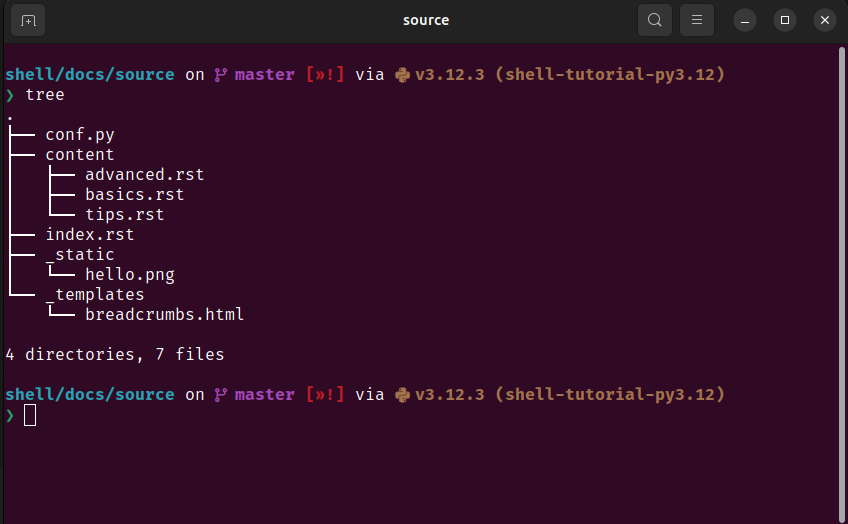
Relative hierarchy of directories.
A shell session is in one directory at a time.
The user can navigate the file system by changing the directory.
The command ls lists the files in a directory.
The command cd <dir> changes the directory to <dir>.
The current directory is denoted by ., and the parent directory is denoted by ...
The home directory is denoted by ~.
And, the previous directory is denoted -.
That is, the commands cd .., cd ~, and cd - are shortcuts to change the directory to the parent, the home directory and the previous directory, respectively.
A forward slash / delimitates a directory path.
For example, the command cd child/grandchild changes to the directory grandchild in child.
A forward slash / with nothing before it denotes the root.
A directory path that starts at the root is absolute.
The command pwd prints the absolute path of the work directory.
Some directories are hidden, that is, they are not listed by the command ls.
The command ls -a will print such hidden directories.
Hidden directories are often for configurations such as the directory .git for git configurations.
You will not usually interact directly with hidden directories often.
The commands touch <file>, rm <file>, cp <source> <destination>, and mv <source> <destination> create, remove, copy, and move files.
touch file1     # Make an empty file
mv file1 file2  # Rename the file
rm file2        # Delete the file
Warning
A file that is removed with the command rm cannot be recovered.
Be careful.
Various programs take files as arguments.
For example, if VS Code is installed, then the command code <file> will open the file <file> in VS Code.
Similarly, if VIM is installed, the command vim <file> will open the file <file> in VIM.
The command python file.py runs the file file.py with Python.
Some Useful Utility Programs
Utility.
The program cat prints the contents of a file.
cat file.txt

# OUTPUT:
# Contents of the file.
Utility.
The programs head and tail show the first and last lines of a file.
head -n 8 file.txt # Show the first 8 lines

# OUTPUT:
# First line
# Second line
# Third line
# Fourth line
# Fifth line
# Sixth line
# Seventh line
# Eighth line
Utility.
The program grep searches for patterns in files. It works with regular expressions.
grep -ri "pattern" adirectory
# The options `-r` and `-i` mean recursive and case-insensitive

# OUTPUT:
# adirectory/file1.txt: A “pattern” is something that repeats.
# adirectory/file2.txt: This is another line with a pattern.
Utility.
The program find finds files by name. It works with regular expressions.
find . -name "*.txt" # Start the search from the current directory

# OUTPUT:
# ./file1.txt
# ./subdir/file2.txt
Utility.
The program time measures the time for a command to run.
time python script.py

# OUTPUT:
# real    0m0.123s
# user    0m0.100s
# sys     0m0.023s
Utility.
The program wc counts lines, words and characters in a file.
wc file.txt

# OUTPUT:
# 20 95 638 file.txt
Utility.
The program sed replaces text in a file.
sed -i 's/oldtext/newtext/g' file.txt
# The option ``-i`` makes the modification in place
# The option ``g`` replaces all occurrences in the file, not just the first one
Utility.
The program ssh is used to access remote computers.
You may prefer to use it through an extension to your editor.